Schematic


 | |
 | |
| |
| |
| |
| |
| |
| |
|
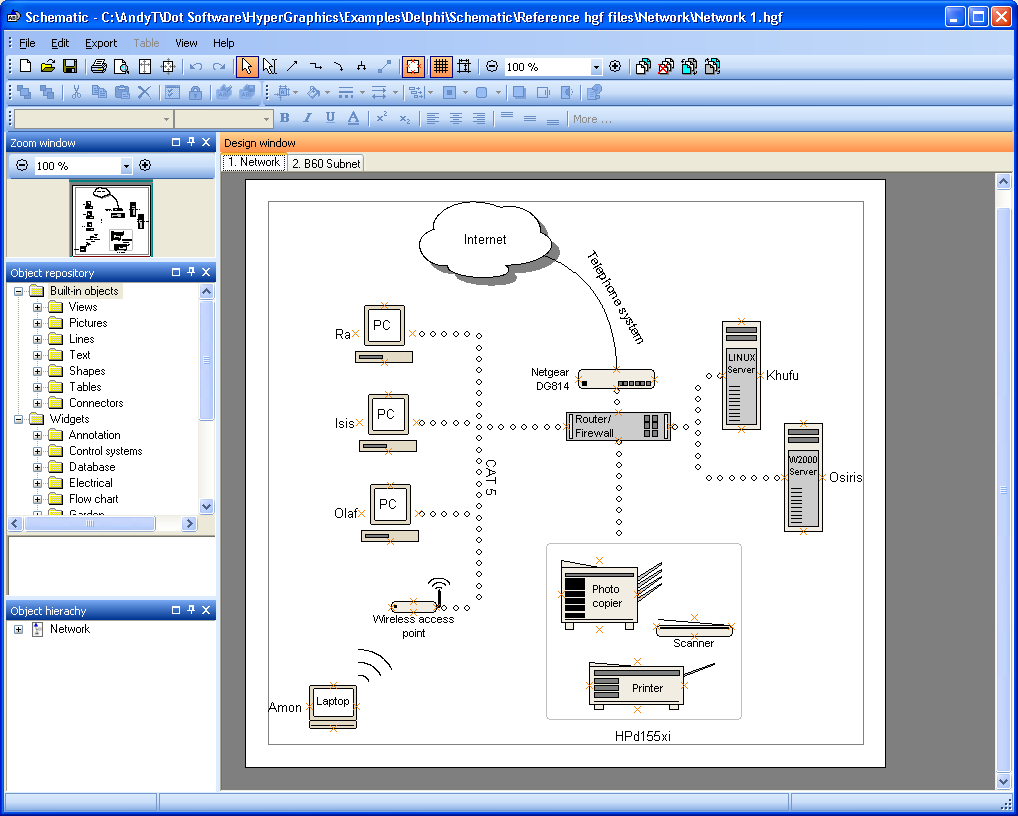
Schematic is a drawing package that's much like SmartDraw and Visio, except that it also allows you to easily modify any of the existing graphics from the extensive library (we call them Widgets), and create your own unique versions. Of course you can create your own Widgets from scratch too (that's how we created the ones in the library).
An unlimited Widget library
Our aim is to create a working Widgets library where users post their modified or newly created Widgets ready for use by others. Please go to the Forum for details.
Simple and easy to useSchematic also has the added feature of retaining connections you make between objects. However many times you change the layout, the connections will stay in place. It's a great timesaver! Schematic is a fully featured, professional diagramming tool with the following features:
We'd love to have your feedback on what you think of our software and how you are using it. You can get in touch by emailing us at support@hypergraphics.co.uk Here are just a few of the comments we've had so far:
“I like the functionality. It is the best of it's kind that I have found
to-date ...
“Schematic provides all of the function we require and is simple and intuitive for
novice users ... Schematic is both good and reasonably
priced.”
“I used Schematic to draw evacuation plans for my workplace. I found
Schematic extremely easy to use and useful. I learnt by trial and error
(being experienced with a variety of applications) and found that I was able
to use it quickly and easily... It is the best/easiest drawing package I
have used.”
|


Bookmark with: |
|
Copyright © Dot Software Ltd 2009, all trade marks acknowledged |
 |